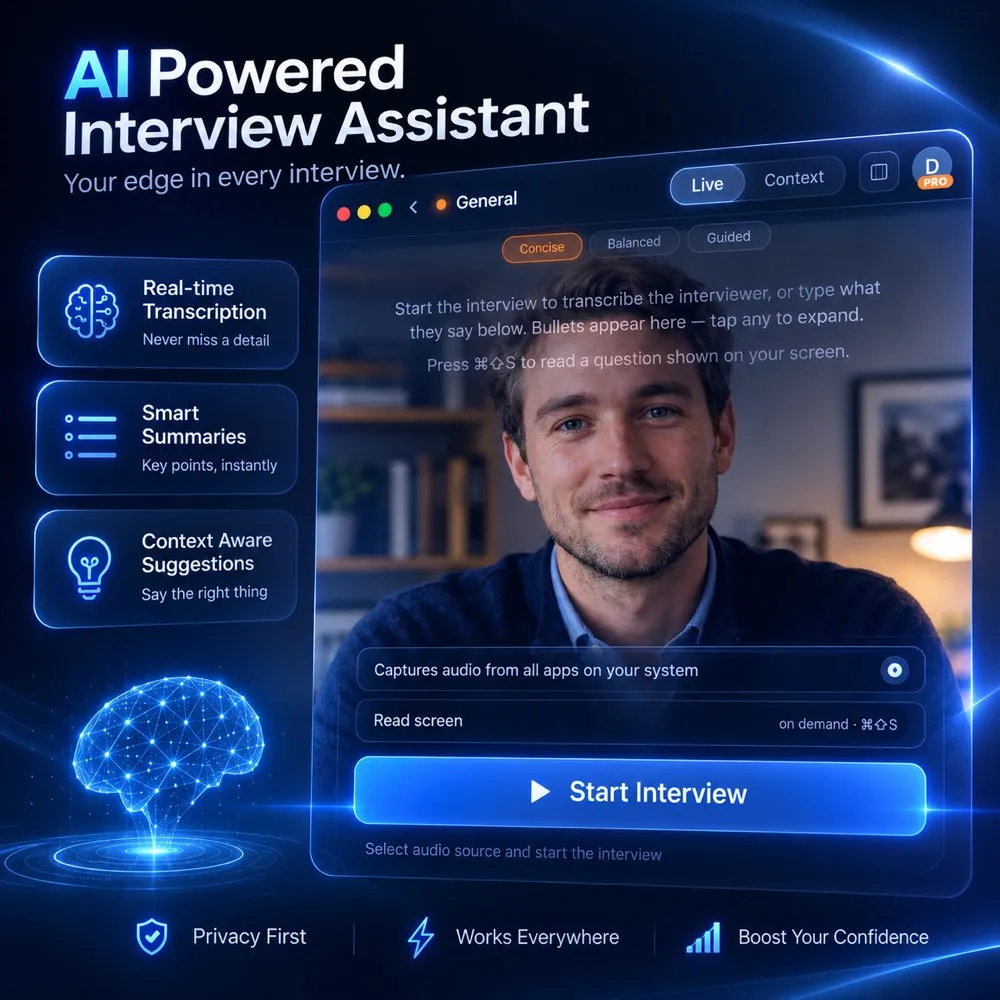
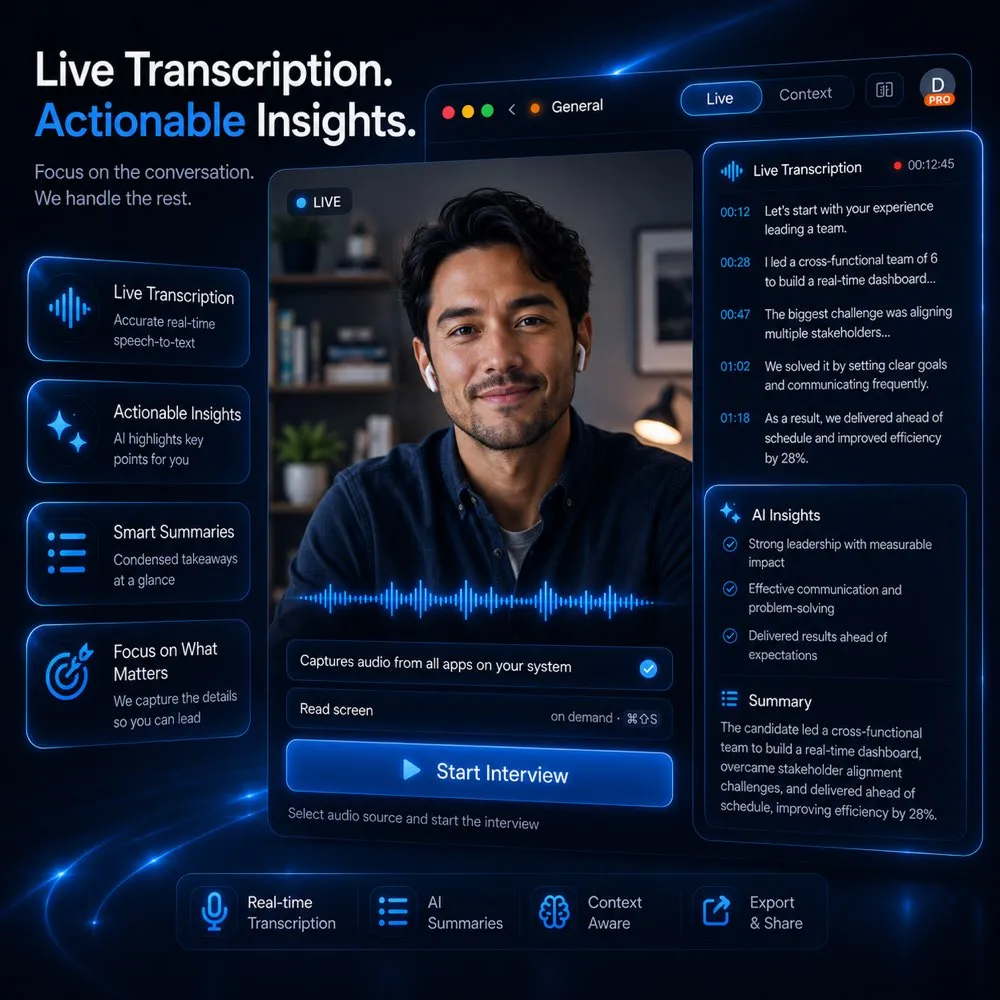
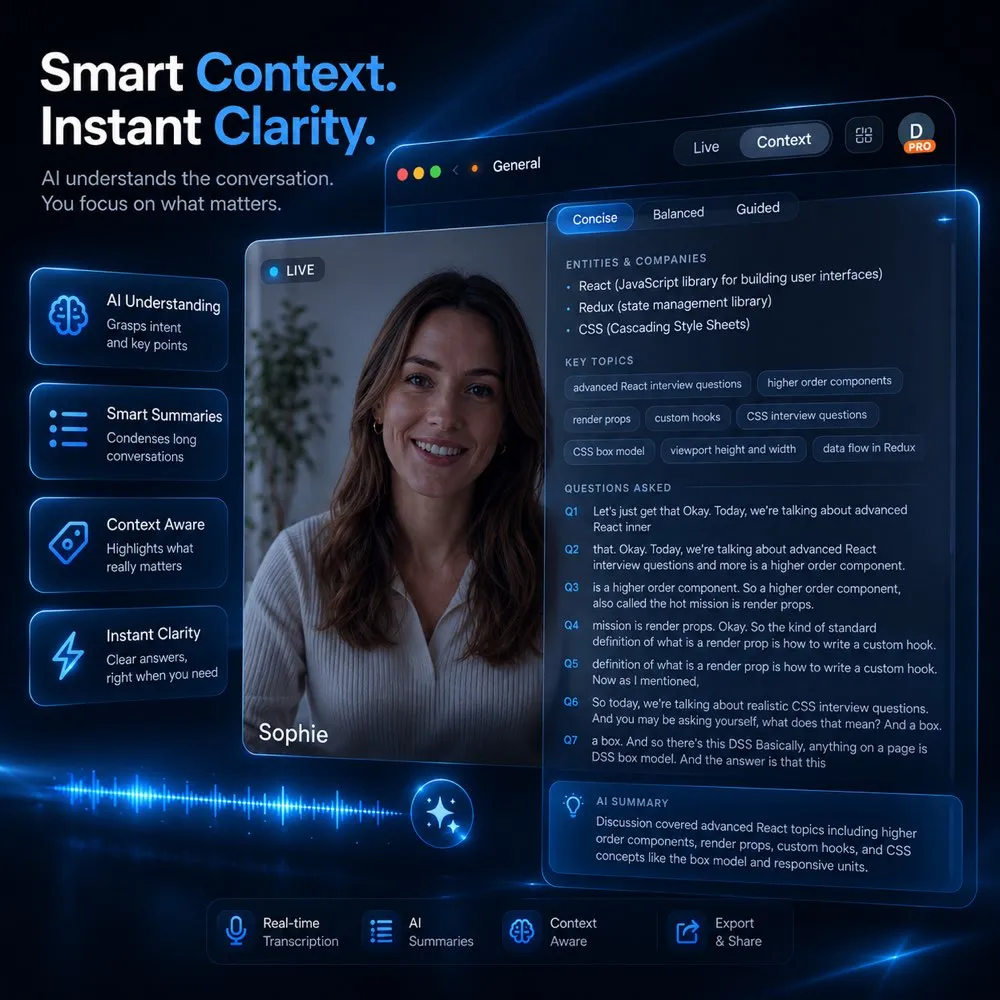
AmberFox is an AI interview helper that listens to your live interview and quietly surfaces short bullet reminders from your own experience — the story, the number, the detail you'd kick yourself for forgetting. And when you're not interviewing, it runs voiced AI mock interviews to get you ready.
Illustration of a video call with the AmberFox overlay floating on top, showing live bullet-point reminders while the interviewer speaks.
Listening
AmberFox
ConciseBalancedGuided
“Tell me about a time you led under pressure…”
•Black Friday outage — you led the war room
•4 engineers, 3 hours, zero data loss
•Postmortem → new on-call playbook
•Open with the Black Friday outage: you coordinated 4 engineers in the war room while checkout was down for 3 hours.
•Land the outcome — zero data loss, and your postmortem became the team’s on-call playbook.
•During a Black Friday outage I took point in the war room, coordinating four engineers while checkout was down. We restored service in three hours with zero data loss — and my postmortem became our on-call playbook.
Free AI mock interview, no card required · Not sure, or need an older version? All releases
On Windows, if you see a SmartScreen prompt, click More info → Run anyway to install.
Invisible on screen share
Works with Zoom, Meet & Teams
macOS & Windows, native
Real-time — bullets in seconds
How the AI interview helper works
A calm voice in your corner
Not a teleprompter. Not scripted answers. Just real-time interview help — the right reminder at the right moment, and everything it says is already yours.
1
Join your interview
Open AmberFox next to Zoom, Meet, Teams — anything. It sits as a small frosted overlay that only you can see, even while sharing your screen.
2
AmberFox listens
It picks up the interviewer's questions straight from your computer's audio and transcribes them in real time. No bots joining the call, nothing installed on their side.
3
Your memory, jogged
Within seconds you get 3–5 short bullets drawn from your CV and the job post — the project, the metric, the story that answers exactly what they just asked.
Not interviewing yet? Practice with AI — a fully-voiced mock interviewer that asks, listens, follows up, and scores you with structured feedback at the end.
One AI interview helper, the whole loop
Everything between you and the offer
From polishing your CV to the moment they ask “tell me about a time…”, AmberFox is the AI interview assistant that covers prep, AI mock interview practice, and the live interview itself.
01/Live assistant
Live answers, tuned to you
Bullet-point memory joggers appear seconds after each question — and you decide how much backup shows up: a subtle nudge or a guided walkthrough.
AmberFox listens to the interviewer and surfaces 3–5 short bullets built from your CV, the job post, and the conversation so far. The Assistance Level dial sets the depth: Concise for one-line nudges, Balanced for context plus phrasing, or Guided for the full step-by-step. Change it mid-interview whenever you like.
02/Practice mode
Your personal mock interviewer
A fully-voiced AI interviewer that runs the real thing with you — it asks, listens, pushes back with follow-ups, and scores you at the end.
Pick the round — HR screen, behavioral, technical, coding, or system design — plus seniority and length, and AmberFox interviews you out loud like a real person would. It reacts to your actual answers with sharp follow-ups instead of reading from a script, then hands you structured feedback: scores, what landed, and what to tighten.
03/CV optimizer
A CV that lands interviews
Our CV-boosting recipe rewrites your CV against the exact job post with advanced reasoning — so you clear the screens that used to filter you out.
Paste the job post, and AmberFox rebuilds your CV around it: surfacing the experience that matters for this role, sharpening impact statements with numbers, and aligning your story with what the hiring team is scanning for. A matching cover letter comes with it — export both as clean, recruiter-ready PDFs in minutes.
04/Screen awareness
Sees what you see
One hotkey captures the coding challenge or system-design diagram on your screen, so the help understands the problem — not just the words.
When the interviewer shares a LeetCode problem, an architecture diagram, or a code snippet, press the capture hotkey and AmberFox reads the screen alongside the conversation. The next bullets reason about the actual problem in front of you — edge cases, approach, complexity — instead of guessing from audio alone.
05/Private by design
Invisible by design
Excluded from screen recording and screen sharing at the OS level. You see everything; the call sees nothing.
AmberFox marks its window as protected content at the operating-system level — the same mechanism banking apps use. Share your entire screen in Zoom, Google Meet, or Teams and the other side sees your desktop exactly as it is, minus AmberFox. No bots join the call, nothing is installed on their side, and there's nothing to accidentally alt-tab into view.
06/AI models
The right AI for every moment
Rapid-fire small talk and deep system design need different brains. Pick from multiple AI models — or switch mid-interview.
Swift answers in about a second — perfect for rapid-fire HR questions where speed beats depth. Balanced brings strong reasoning that still keeps up with a normal conversation, the sweet spot for most interviews. Mastermind thinks the deepest for the gnarly technical problems where extra reasoning wins the round. One click switches models at any point.
People walk out with offers
From first-round nerves to signed contracts — what early users told us after interviewing with AmberFox in their corner.
Quotes shared with permission; users asked for their names to be withheld.
FEFrontend EngineerEarly user · name withheld
“I used to freeze whenever interviewers asked behavioral questions. Having my own project notes appear at the right moment helped me remember details I would have forgotten. I ended up getting the job.”
BDBackend DeveloperEarly user · name withheld
“The practice interviews caught me off guard in the best way. Some of the follow-up questions were almost identical to the ones I got in my real interview just a few days later.”
DSData ScientistEarly user · name withheld
“I was worried about using it while screen sharing, but it stayed completely out of the way. I even used it during a live SQL interview without any issues.”
PMProduct ManagerEarly user · name withheld
“I keep it on the concise setting. It feels more like getting quick reminders from my own experience than someone feeding me answers, which is exactly what I wanted.”
CSComputer Science GraduateEarly user · name withheld
“I spent about a week doing mock interviews before applying. The feedback after each session made it obvious where I was rambling. My first onsite interview turned into an offer.”
FEFrontend EngineerEarly user · name withheld
“I used to freeze whenever interviewers asked behavioral questions. Having my own project notes appear at the right moment helped me remember details I would have forgotten. I ended up getting the job.”
BDBackend DeveloperEarly user · name withheld
“The practice interviews caught me off guard in the best way. Some of the follow-up questions were almost identical to the ones I got in my real interview just a few days later.”
DSData ScientistEarly user · name withheld
“I was worried about using it while screen sharing, but it stayed completely out of the way. I even used it during a live SQL interview without any issues.”
PMProduct ManagerEarly user · name withheld
“I keep it on the concise setting. It feels more like getting quick reminders from my own experience than someone feeding me answers, which is exactly what I wanted.”
CSComputer Science GraduateEarly user · name withheld
“I spent about a week doing mock interviews before applying. The feedback after each session made it obvious where I was rambling. My first onsite interview turned into an offer.”
DEDevOps EngineerEarly user · name withheld
“One thing I did not expect was how useful the screen analysis would be. During a system design interview, it picked up details from the diagram they were showing and kept the suggestions relevant.”
UDUX DesignerEarly user · name withheld
“The CV optimization helped me tailor my resume to each job description instead of sending the same version everywhere. I definitely started getting more callbacks.”
SJSenior Java DeveloperEarly user · name withheld
“I have more than ten years of experience, and interviews still make me nervous. Just knowing I had something to rely on made me feel a lot more relaxed.”
MMMarketing ManagerEarly user · name withheld
“I was not sure it would be useful outside of tech interviews, but it helped me pull up campaign metrics from my own experience when I needed them instead of trying to remember everything on the spot.”
MLMachine Learning EngineerEarly user · name withheld
“I switched to the advanced mode for a system design interview, and the suggestions were actually relevant to the conversation. After that, it became my main interview prep tool.”
DEDevOps EngineerEarly user · name withheld
“One thing I did not expect was how useful the screen analysis would be. During a system design interview, it picked up details from the diagram they were showing and kept the suggestions relevant.”
UDUX DesignerEarly user · name withheld
“The CV optimization helped me tailor my resume to each job description instead of sending the same version everywhere. I definitely started getting more callbacks.”
SJSenior Java DeveloperEarly user · name withheld
“I have more than ten years of experience, and interviews still make me nervous. Just knowing I had something to rely on made me feel a lot more relaxed.”
MMMarketing ManagerEarly user · name withheld
“I was not sure it would be useful outside of tech interviews, but it helped me pull up campaign metrics from my own experience when I needed them instead of trying to remember everything on the spot.”
MLMachine Learning EngineerEarly user · name withheld
“I switched to the advanced mode for a system design interview, and the suggestions were actually relevant to the conversation. After that, it became my main interview prep tool.”
Simple pricing, serious prep
Start with a free trial. Upgrade when the interviews start rolling in.
Start free with an AI mock interview — every plan begins with a trial
A free AI mock interview — voiced, with follow-ups
Cancel anytime, in one click — your plan stays active until the end of the period you paid for.
What is an AI interview assistant?
An AI interview assistant — also called an AI interview helper — is software that helps a candidate perform better in job interviews: before them, by running realistic practice, and during them, by listening to the conversation and surfacing relevant reminders in real time. AmberFox is a desktop AI interview assistant for macOS and Windows that does both: a live interview helper that turns the interviewer's questions into short answer cues drawn from your own CV, and a fully-voicedAI mock interviewer that asks, listens, pushes back, and scores you. A built-in CV optimizer covers the step before the interview even exists.
Comparison of an AI interview assistant, a generic chatbot, and a human coach
AmberFox assistant
Generic AI chatbot
Human interview coach
Hears the interviewer automatically
✓ — listens to the call audio itself
✗ — you retype every question
✗ — not built for live calls
Answers built from your own CV
✓ — cues come from your experience
Partially — only if you paste it each time
✗ — generic advice
Invisible on screen share
✓ — excluded at the OS level
✗ — a visible browser window
n/a
Helps during the live interview
✓ — cues in seconds, in real time
Too slow while you are speaking
✗ — preparation only
Voiced mock-interview practice
✓ — asks, listens, follows up, scores
Text-only prompting
✓ — but scheduled and expensive
Questions, answered
Is AmberFox really invisible when I share my screen?
Yes. AmberFox marks its window as protected content at the OS level, so it is excluded from screen recording and screen sharing. When you share your screen in Zoom, Google Meet, or Microsoft Teams, the other side sees everything except AmberFox.
Which meeting apps does it work with?
Any of them. AmberFox listens to the meeting audio on your computer rather than plugging into a specific app, so it works with Zoom, Google Meet, Microsoft Teams, Webex, and anything else that plays sound on your machine.
How does it hear the interviewer?
On macOS it captures the meeting app’s audio directly using Apple’s ScreenCaptureKit; on Windows it uses system audio loopback. The audio is transcribed in real time and short bullet memory-joggers appear in the overlay within seconds.
Which platforms are supported?
AmberFox runs natively on macOS (Apple Silicon and Intel) and Windows 10/11. Updates install automatically.
Is using an AI interview assistant cheating?
AmberFox is built to surface your own experience, not to invent answers: the cues come from your CV, the job post, and what you actually did. You control how much help appears — from a one-word nudge to fuller phrasing — and many people use AmberFox purely for AI mock interview practice before the real thing. That said, expectations vary by company and role, and you are responsible for deciding what is appropriate for your interviews.
Can interviewers detect AmberFox?
AmberFox does not join the call, does not install anything on the interviewer’s side, and its overlay is excluded from screen sharing and recording at the operating-system level. Nothing about the call itself changes. What the interviewer experiences is entirely up to you and how naturally you speak — which is why AmberFox shows short memory joggers rather than scripts to read out.
Can I practice interviews with AI for free?
Yes. Your free trial starts with a full AI mock interview: the AI asks questions out loud, reacts to your answers with real follow-ups, and gives you a scored feedback report at the end — so you know exactly what to fix before the real thing. No credit card required.
What do I get in the free trial?
A free AI mock interview with a scored feedback report, plus one CV optimization against a real job post. No credit card required — you only pay if you upgrade for unlimited practice and the live interview assistant.
Can I cancel anytime?
Yes. Subscriptions are handled through Stripe and you can cancel in one click from inside the app. Your plan stays active until the end of the period you already paid for.
Your next interview doesn't have to be stressful
Download AmberFox, run a practice round tonight, and walk into the real thing with backup.